
Password guessing
Repeated failed logins get the address locked out. Add two-factor sign-in with an authenticator app, with recovery codes for the day you lose your phone.
Security for WordPress and Linux
Witen spots attackers inside WordPress and hands the ban to your server's firewall, so their next request never loads a page. On shared hosting, it blocks inside WordPress instead.
Free to install. No account needed.
The plugin sees failed logins, scanners, and abusive crawlers where they happen, with no account needed.
If Warden runs on the same server, the plugin hands the ban over and the attacker is dropped by nftables before WordPress loads. Warden runs without root.
With an account, addresses that attacked other Witen sites are blocked before they reach yours.
On shared hosting, the plugin still covers steps one and three. On your own server, add Warden for all three.
Repeated failed logins get the address locked out. Add two-factor sign-in with an authenticator app, with recovery codes for the day you lose your phone.
Decide crawler by crawler who reads your site: welcome the search engines and AI assistants you want, block the ones you don’t, and shut out the tools attackers use to scan.
Requests for known WordPress exploits are refused on the spot, and scanners hunting for webshells and admin panels get banned after a few tries.
Use one, or combine them: a WordPress site on a server you run gets the plugin's insight and Warden's firewall.
Witen Blocker
A plugin that protects your login, controls bots, and checks your files from the WordPress dashboard.
Works on shared hosting.
Explore WordPressWiten Warden
An agent that reads your SSH and web server logs and blocks attackers at the firewall, before they reach PHP.
Needs administrator access to the server.
Explore Linux serversWiten for Matomo
Login limits, IP rules, and bot policies for your self-hosted Matomo analytics.
Protects Matomo itself, not the sites it tracks.
Explore MatomoSee which address was blocked, what it did, and which rule caught it. Allow an address you trust or lift a block in one step. Blocks expire on their own, and your protection keeps running even if witenlabs.com is down.
Read the Warden setup guide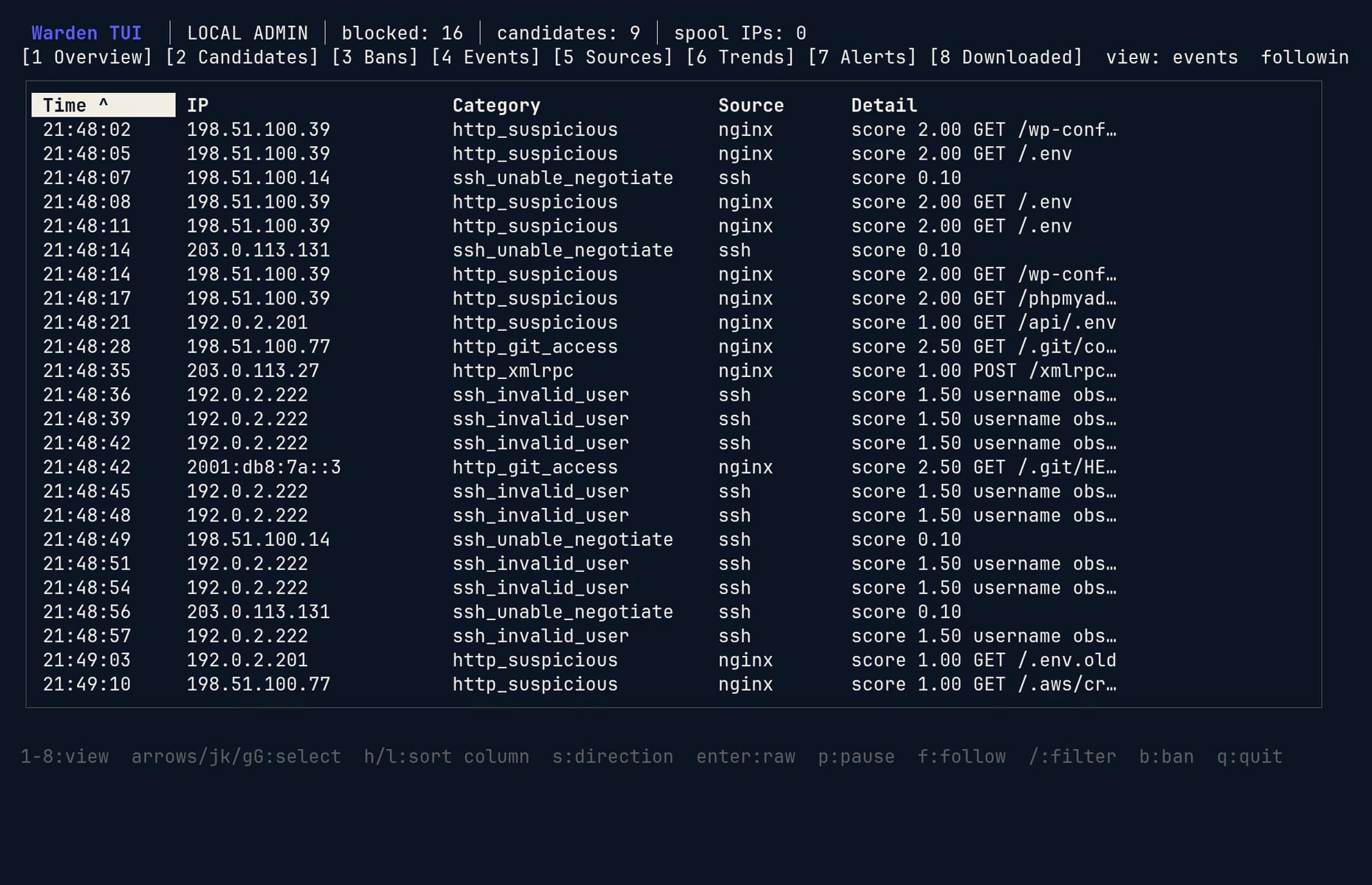
Screens show a demonstration host with synthetic attack traffic from documentation address ranges.
Connect a free Witen account and your sites receive blocklists built from attacks seen across every Witen site and server. An address caught attacking another Witen site can be turned away from yours before it tries.
Free WordPress sites receive the WordPress threat feed, updated daily, with no added data delay or top-50 cap. The standard Free feed includes up to 50 IPs, updated daily with a 14-day delay on new threats. Compare plans.
Login limits, IP rules, and bot policies run on your server or inside the plugin. Nothing waits on a cloud round trip.
Connecting an account adds blocklists and reports. Disconnect and local protection carries on.
On plans with correlation, follow one attacker across every site you run.
witen, v. Old English: to know; to be aware.
Witen comes from years spent running security for web hosting companies and content delivery networks. The same password guessing, scanners, and scrapers hit every site on those networks, and the smallest sites had the least between them and it. Witen is the protection they should have had: it runs where your site runs, explains every decision, and learns from every site it protects.
Install takes a few minutes. Protection starts the moment you activate.
Questions before you install? Email support@witenlabs.com.